Designing ima clear
A playful visual decluttering tool for sentimental stuff
Role: Solo project covering concept, illustration, UI design, specs, and interactive prototyping.

Try the live version: Click to visit to ima clear

Most decluttering tools are built for logic. But sentimental stuff? That’s emotional.
This project began as a personal experiment in illustration and quickly evolved into a fully interactive decision tool, designed to help people let go with clarity, not guilt.
The Opportunity: “ima clear” offers gentle, visual prompts to support the emotional side of decluttering especially for objects tied to memory, identity, or unfinished dreams. The goal was to create a kind, joyful, and highly visual moment of momentum: one tap, one question, one item at a time.
Design Process
Drawing My Way Into an Idea
This early work was purely visual exploration but once I mapped the decision flow, the concept began to shift into a product.
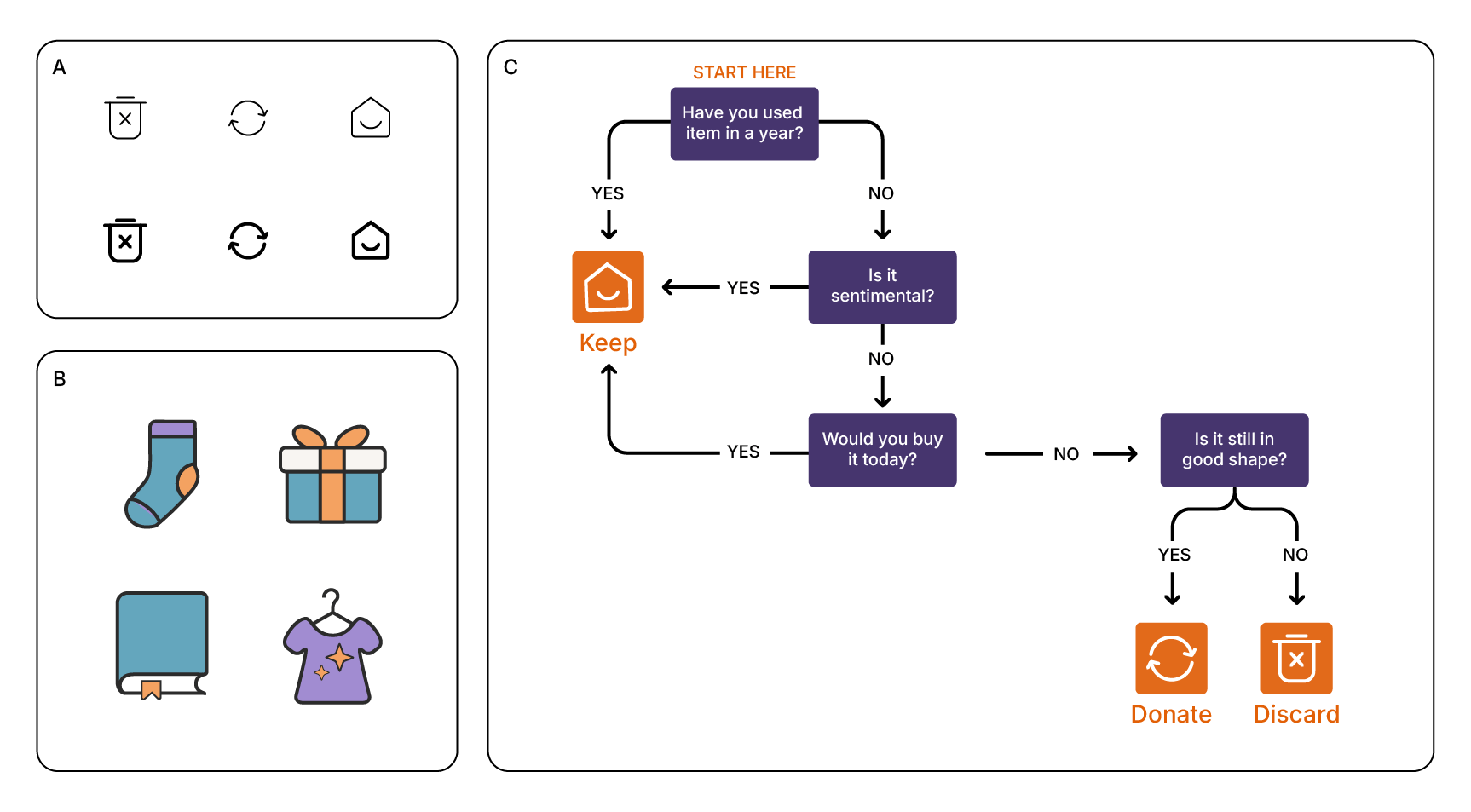
A. Action Icons: Start with the Basics
Started by drawing basic actions: Discard, Donate, Keep. Just thinking visually: no flow yet, just symbols.
B. Object Icons: Common Types of Clutter
Sketched common clutter types: a single sock, unwanted gifts, pile of books, and clothing. Exploring tone and emotional weight.
C. Decision Flow: From Flat Poster to Product Idea
Mapped a basic decision tree using the icons.
This was the turning point: realized it needed to be an interactive website, not a static decision tree.
Stickers, Not System Icons
After sketching early concepts, I realized the illustrations needed to carry more emotional weight. I didn’t want them to feel like generic app icons. I wanted them to feel human, like something you’d want to turn into a sticker.
I pivoted toward bold, retro-inspired sticker aesthetics with warm colors, rounded forms, and playful type. These references helped me define a tone that felt approachable, emotionally safe, and a little fun.
This mood board became a creative compass as I started building my own visual system in Illustrator.
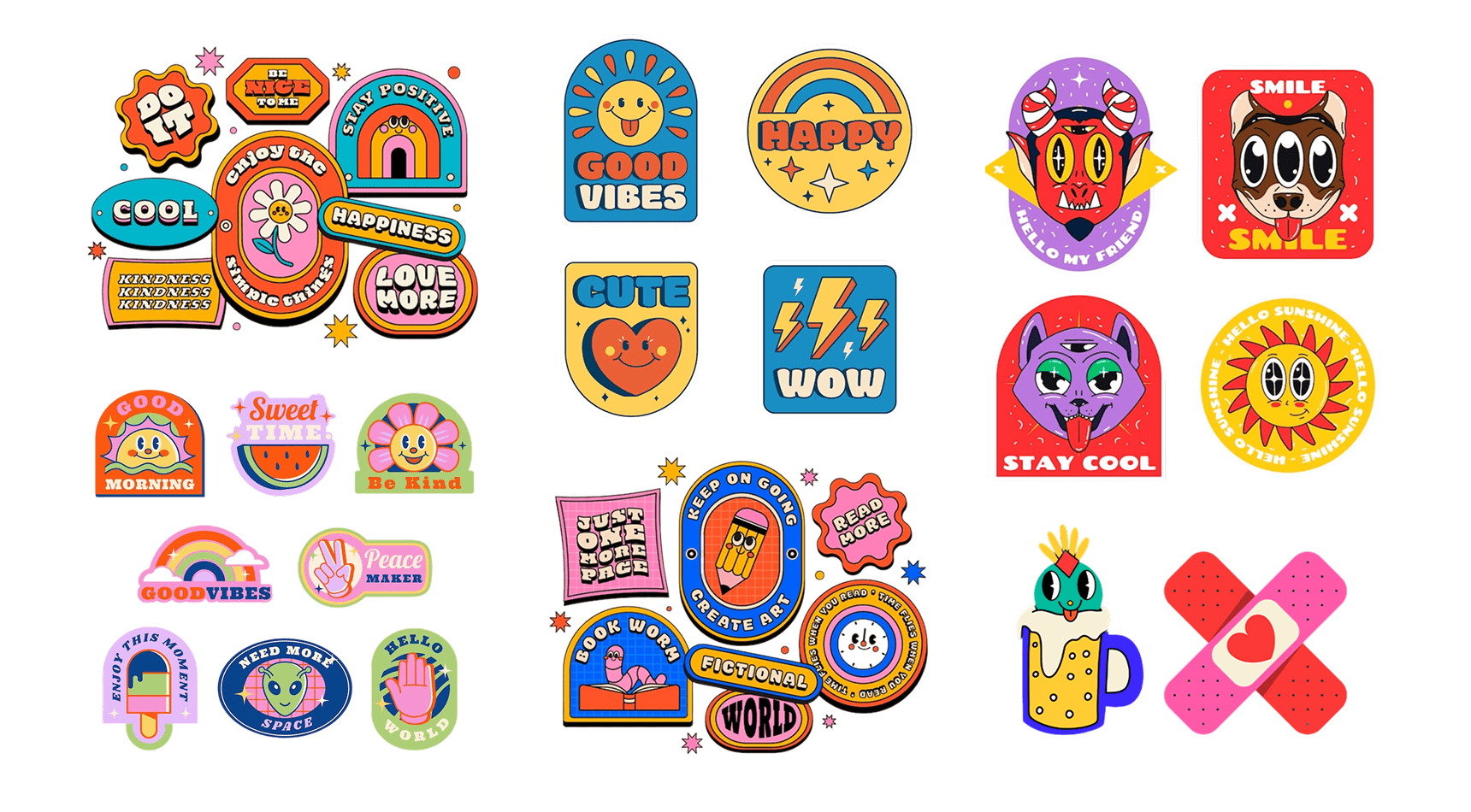
Illustration Style Specs
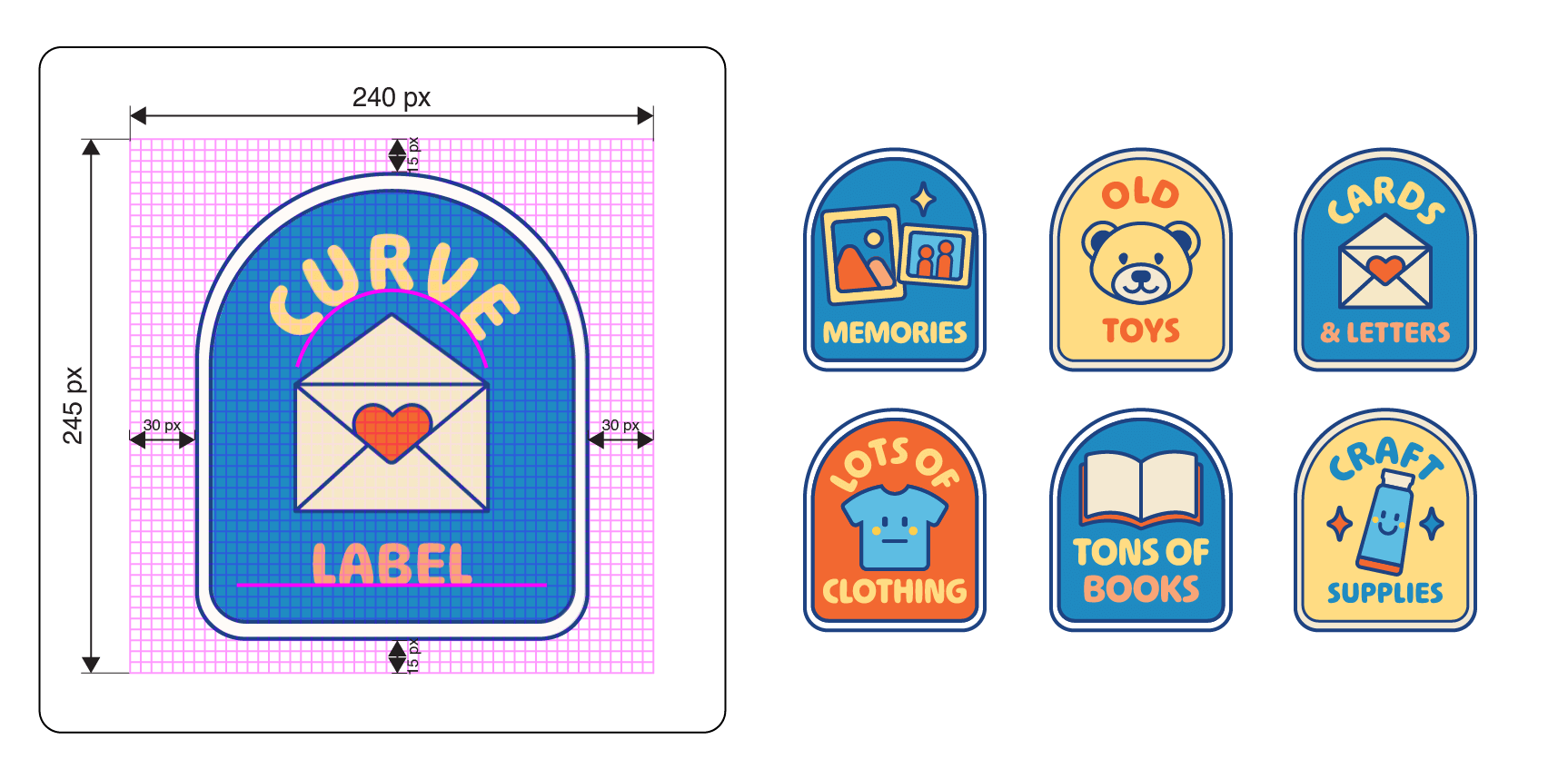
Each illustration uses a flat, colorful style with soft shapes and just enough personality to feel like it belongs on your laptop or lunchbox.
Dimensions: 240 × 245 px, 8 px grid
Padding: 30 px left/right, 15 px top/bottom
Shape: Rounded arch with double 2 px stroke (outer + inner offset)
Typography:
Ohno Softie Variable, Weight 600
40 pt curved label, centered
30 pt straight label, centered
Style: Flat vector, retro palette, soft forms
Palette: Navy (#003366), Blue (#2D90C5), Cream (#FCECC5), Yellow (#FDDC6C), Orange (#F9A45D), Red (#E65345)
From Logic Flow to Interactive Experience
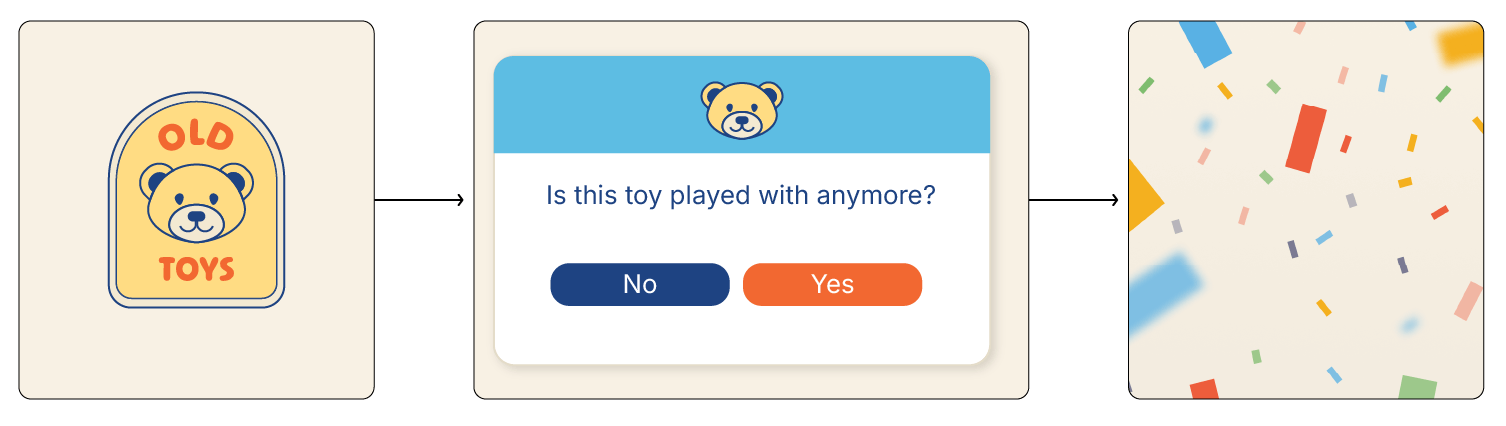
Once I finalized the object categories and tone, I designed a branching interaction flow for each decision tree. Each flow followed a short, emotionally intelligent path: just a few taps to reach a personalized outcome.
I gave Lovable.ai both the visual screen designs and the complete logic for every path, including question wording, answer options, and final responses. This turned what started as a static poster into a dynamic, responsive web experience.
Reflection
I’m a designer who enjoys “making to think.” I sketch and build to figure things out, letting my hands lead before the idea is fully clear.
This project started in Illustrator with system icons that grew into categories. Then came a decision tree, and suddenly there was structure. With the foundation in place, I could layer in tone and personality.
I mapped the interactions in Figma and brought it to life in Lovable.ai. It reminded me that clarity often comes after you begin. Start making, and the idea will meet you there.
Summary
This project came together in five focused days, from initial sketch to working prototype.
Tools:
Figma – UI design, interaction flows, and layout
Illustrator – custom illustrations and spec sheets
Lovable.ai – no-code prototyping and logic implementation
ChatGPT – voice, naming, and UX copy development
Notion – narrative logic and interaction model tracking
Focus: Visual design, illustration systems, and conversational UX
Format: Interactive web tool using AI-assisted no-code prototyping